 En
En
 Es
Es
The language selection option cannot be disabled using the platform's standard tools, but it can be hidden using a plugin.
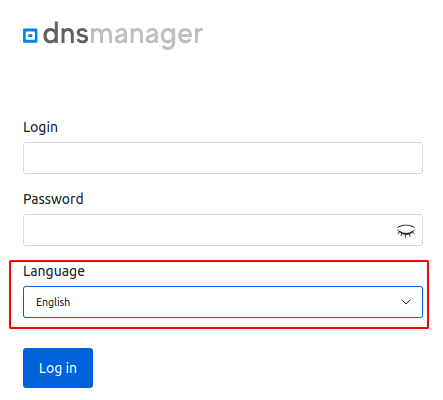
To hide the language selection:
- Connect to the server with the control panel via SSH. For more information about connecting via SSH, see Workstation setup.
- Create the XML plugin file /opt/ispsystem/dnsmanager6/etc/xml/dnsmgr_mod_disable-lang.xml with the following content:
<?xml version="1.0" encoding="UTF-8"?> <mgrdata> <handler name="disable-lang-handler" type="xml"> <event name="logon" after="yes"/> </handler> </mgrdata> - Create the handler script /opt/ispsystem/dnsmanager6/addon/disable-lang-handler with the following content:
#!/bin/bash echo $(cat | sed -Ee 's|<field name="lang">.*?</field>||') - Make the script executable by running the command:
chmod +x /opt/ispsystem/dnsmanager6/addon/disable-lang-handler - Restart the platform using the command:
/opt/ispsystem/dnsmanager6/sbin/mgrctl -m dnsmgr -R
To restore the language selector, delete the added files and restart the platform.