 En
En
 Es
Es
This section contains information about the features of the BILLmanager 6 personal cabinet. Some features depend on the settings set by your service provider.
For support, contact your service provider via a request in your personal cabinet.
Payments
Information about payments and expenses is available in Billing → Payments. By default, you will see the summary of all of the payments you have made. The operations are grouped by two types: expenses and funds that you added to your account.
Payment statuses:
- New — requires payment;
- Paid — payment received.
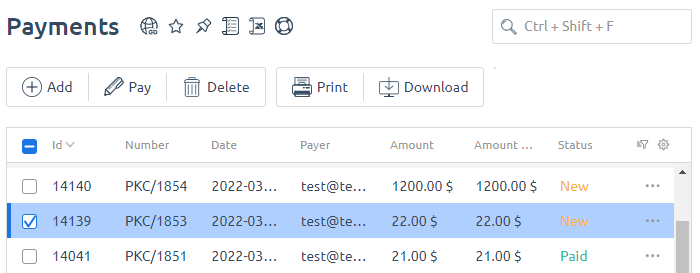
If you need more detailed analysis, you can divide the operations by the following groups:
- by type: all, added funds, expenses.
- by period: month, quarter, half-a-year, year.
You can set a desired period and export the report into CSV.
You can configure file naming templates for downloading or printing in Provider → Global settings → Main settings.
Expenses
To view your expense history, go to Billing → Expenses.
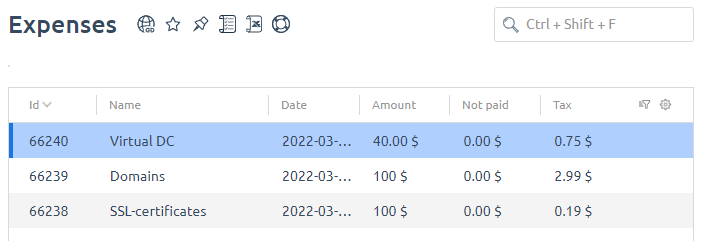
In the history of expenses you can see:
- the name of the service;
- date of charging;
- amount written off;
- what payment was made for the service.