 En
En
 Es
Es
This article contains instructions for running scripts on virtual machines (VMs).
Available Scripts
You can run the following on a VM:
- your own scripts. For more information, see Creating a script for the VM;
- scripts that the platform administrator has made available.
If the list of available scripts is empty, create a script or contact the platform administrator.
Running scripts on single VM
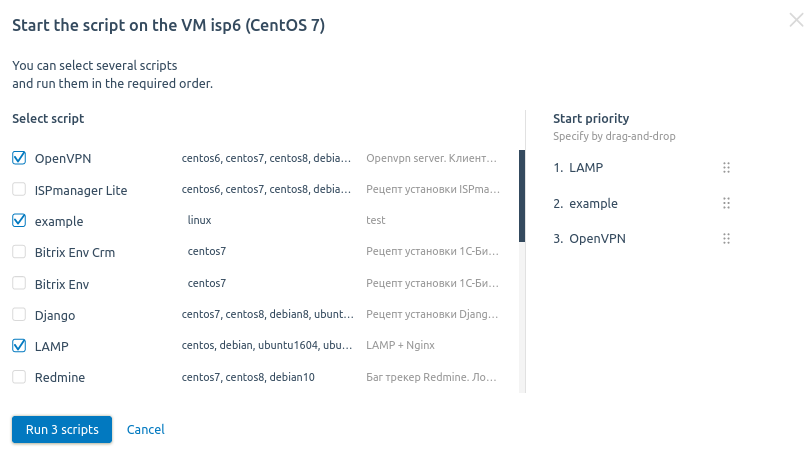
To run scripts on the VM, enter Virtual machines → select the VM → menu → Run script → select the scripts → enter script parameters → select the script execution order in the Start priority column → Run scripts.
Running script on multiple VMs
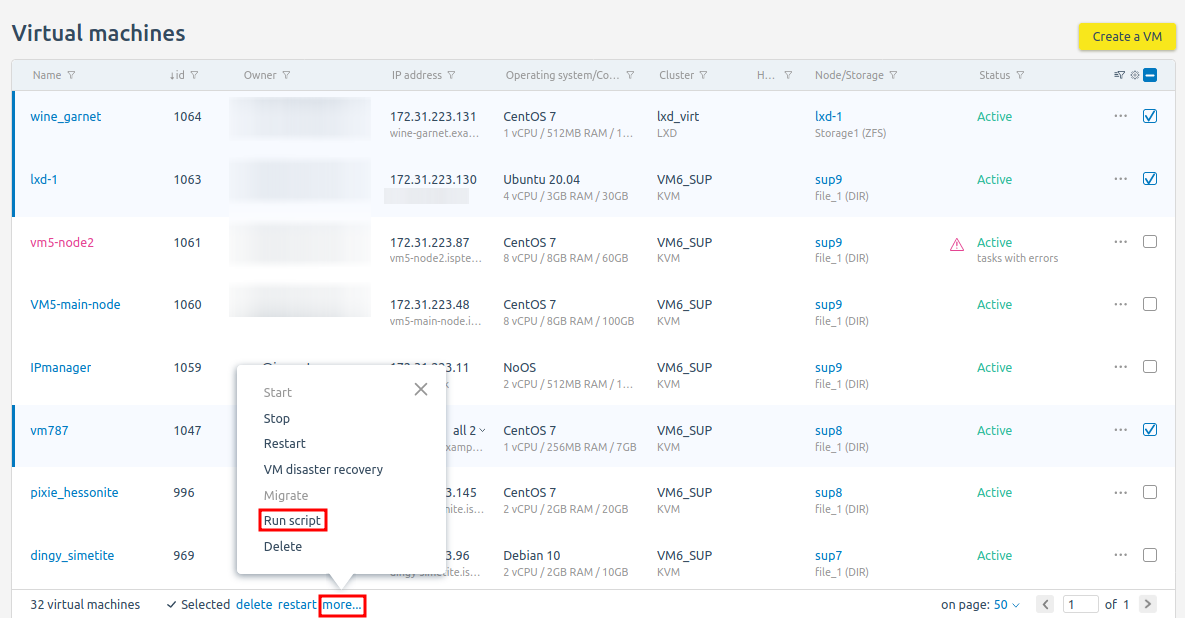
You can run scripts on multiple VMs at the same time. Select the VMs → more... → Run script → select the scripts → enter script parameters → select the script execution order in the Start priority column → Run scripts.
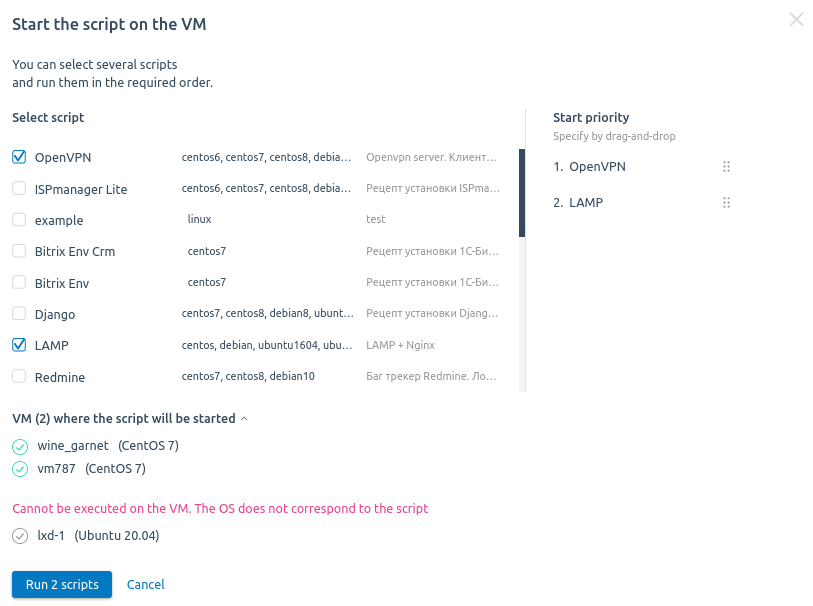
When selecting scripts, the platform provides a notification on which VMs the scripts can be run.
Diagnostics
The script log is written to the /root directory on the VM.