


In 2025, the VMmanager team continued to develop new product functionality, focusing on key areas: expanding support for modern and specialized operating systems, enhancing integration capabilities, and increasing the platform's high availability for operation in hybrid and large-scale infrastructures.
For example, integrating the platform into a cluster as a master VM (virtual machine) allowed for flexible distribution of shared system resources and their management directly from within the cluster. Due to the built-in high availability of the cluster, backup, and microservice architecture of the platform, we were able to improve the overall reliability of the entire infrastructure.
There were a total of 25 releases in 2025, including improvements, fixes and updates.
Let us take a closer look at the key product development milestones that have enabled our clients to manage their virtual infrastructures even more efficiently and build import-independent environments for managing the digital evolution of their businesses.
Ensuring strong performance
The growing demand for virtualization of graphics and computing workloads has necessitated the addition of platform functionality that transforms the platform from a tool that runs simple servers into a universal computing environment.
GPU passthrough configuration support
VMmanager now supports GPU passthrough technology for direct connection of physical video cards to virtual machines (VMs), delivering near-native performance for AI, rendering, and computing. The setting is available when creating a VM directly from the graphical interface: the platform administrator can configure the graphics accelerator passthrough mode inside a virtual machine (VM) and connect a dedicated physical accelerator to the selected VM. Various manual configuration options, connection of one or more graphics accelerators, and configuration via a VM template are supported.
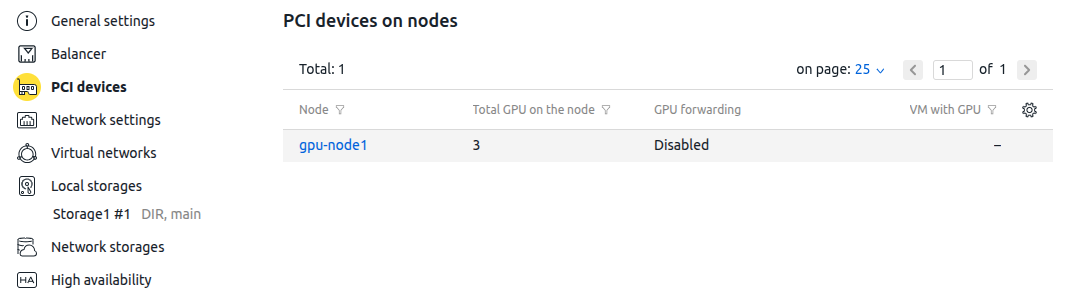
More details about this were provided in the documentation and a separate news item.
Supporting vGPU technology
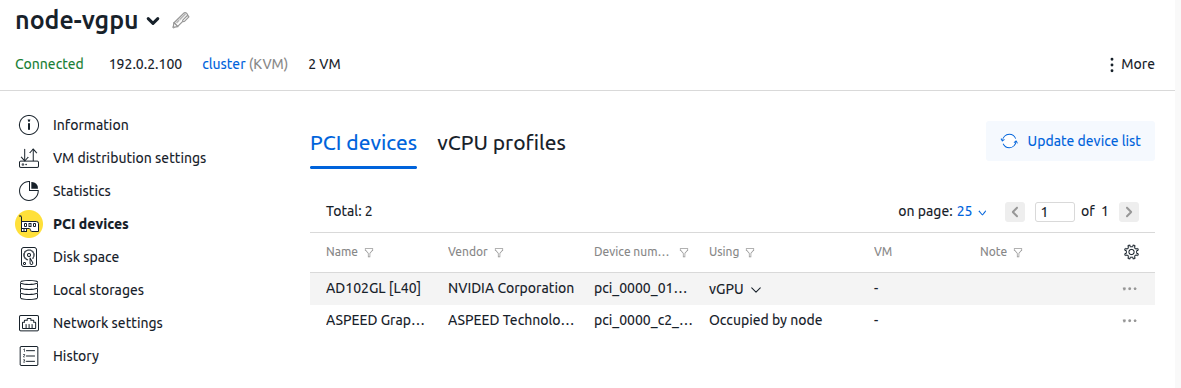
To further support resource-intensive tasks such as VDI, machine learning, artificial intelligence, rendering, gaming, and streaming, where full GPU power is not required, we have added the ability to connect graphics accelerators from the platform interface in vGPU mode. This technology allows you to split physical graphics processing unit (GPU) into several virtual GPUs, each allocated to a separate virtual machine. This way, one physical GPU can serve multiple users or tasks.
More details were provided in the documentation and a separate news item.
Increased reliability and high availability
Securely delegating the management of complex IT infrastructures, as well as building scalable, high availability and high-performance enterprise-level infrastructures, are becoming critical requirements for modern businesses. In developing our platform, we have considered these requirements and added improvements that not only create a secure, access-controlled environment but also ensure the uninterrupted operation of key applications and services.
User access roles
The role creation function, with fine-tuning of privileges and access objects, allows you to organize access to the platform for several teams of administrators, grant only the necessary rights to a specific group of users.
The main purposes of creating roles are:
- Security and control: Granting the minimum necessary rights (the principle of least privilege) to allow an employee to perform only their functions.
- Flexible settings: Create unique sets of rights that go beyond the standard roles (admin, advanced_user, user).
- Isolation of users: Preventing accidental interference between users or system disruption.
- Separation of duties: Splitting key management functions among several employees to mitigate risks.
This capability generally improves security, reduces the risk of errors, and provides control over the infrastructure.
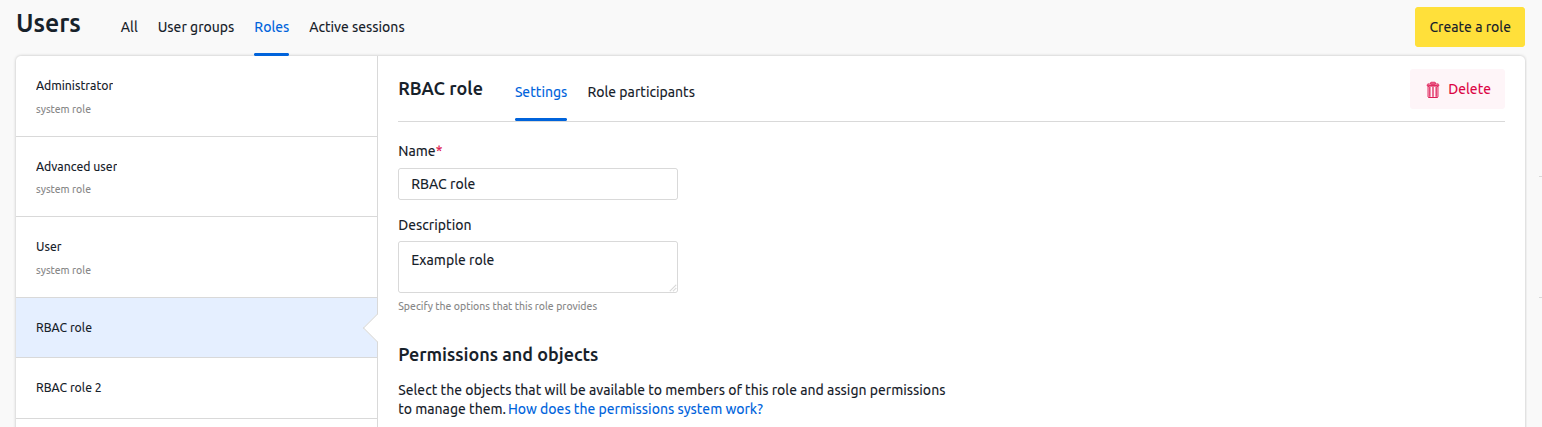
For more details, see the documentation.
User roles can now also be assigned to accounts and groups synced from external directories. The functionality can be considered a standard for centralized user access management in a corporate environment. This approach combines the convenience of managing a role-based access control (RBAC) model and the ability to synchronize with a centralized account directory (LDAP). This ensures user comfort and a high level of platform security.
Ability to synchronize with multiple LDAP directories
Starting with VMmanager 2025.10.1, the platform officially supports synchronization with multiple LDAP directories. This option allows you to separate the tasks of managing access to platform resources and user management among multiple administrators, as well as implement complex scenarios for separation of access to platform resources for several organizations.
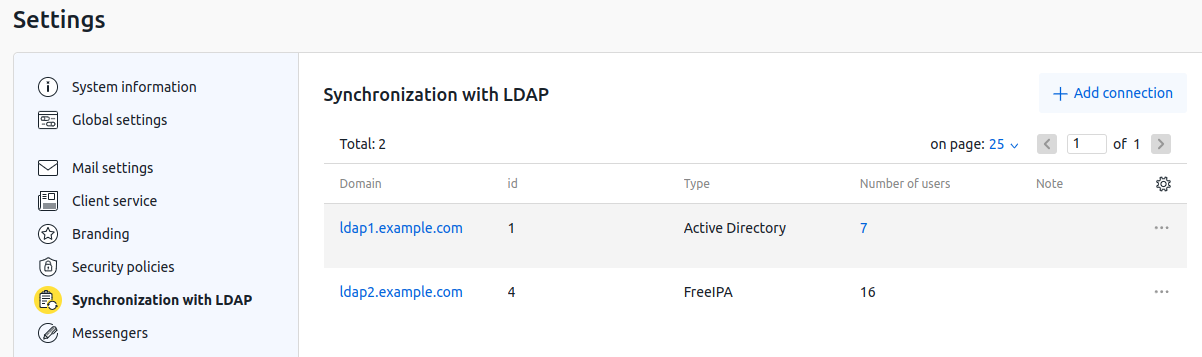
Key features of synchronization:
- Version support: Available for VMmanager versions 2025.10.1 and higher.
- Setting: Enables configuration of LDAP connections, allowing for centralized management of users from multiple sources.
- Naming: The username@domain format is used to distinguish users from different directories.
For more details, see the documentation.
Ability to manage block devices connected via iSCSI/FC
The platform interface now allows centralized management of external block device connected via iSCSI, which can be applied to the whole cluster or to a separate node. This option simplifies the process of connecting external disk systems, increases the speed of resource provisioning to end users of the platform, reduces the risk of administrator error, and provides monitoring and diagnostics of the availability of connected devices.
Other benefits for businesses
- Auto-configuring: Eliminates manual configuration of LVM and iSCSI/FC initiators on each cluster node; the platform automatically connects disks to all required ISPsystem LTD nodes.
- Flexible storage management: Allows you to add, remove and resize external block devices directly from the interface.
- Efficient performance (iSCSI): Allows you to use standard Ethernet networks to connect fast block storages.
More details were provided in the documentation and a separate news item.
Improved user experience
In a world where hypervisor computational capabilities and underlying storage/networking capabilities are gradually converging, user experience quality is becoming a key differentiator. The improvement of UX In developing our platform is not a one-off event, but a systematic effort, and last year was no exception.
Managing available platform languages
We have added the ability to manage languages for custom fields. Now, when using multiple languages in a single installation, the administrator can flexibly configure the availability, visibility, and populating of custom fields depending on the languages enabled in the product.
This allows you to activate only the languages you need, hide unnecessary ones, improving usability and simplifying navigation, as well as control the display of languages when using the system in a multilingual environment.
In conclusion
The year 2025 marks a period of consolidation and adaptation for VMmanager to address complex infrastructure challenges. The platform has not only increased its reliability for traditional cloud and hosting projects, but also made another confident step toward large corporations and industries with stringent compatibility and security requirements, continuing to offer a single point of management for heterogeneous virtual machine environments.
We have equally ambitious plans for the new year.
Follow our news – we will definitely share something interesting!


