 En
En
 Es
Es
This is the documentation for the deprecated product VMmanager 5. It is no longer updated and may be irrelevant. Documentation for the current version of VMmanager can be found in the VMmanager 6 section.
A backup process allows making copies of data to use in the event the original data are lost or destroyed. VMmanager has a built-in backup system that allows to back up the control panel and virtual machines.
This article describes how to create a backup storage in VMmanager.
Navigate to Backups → Storages → Add to add a new storage.
The process includes two steps:
Step 1. Select a storage type.
Step 2. Configure the storage.
Creating a backup storage
Select "Local storage" in the Type field.
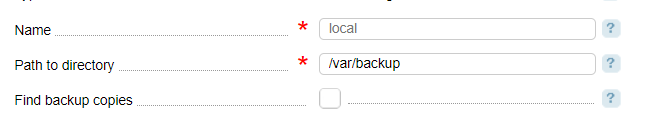
- Name;
- Path to archive — enter the location of the backup copies;
- Find backup copies — select the checkbox to find the backup copies in the storage and import the LST-files into VMmanager. The search is made based on readme-files.
Creating an FTP-storage for backup copies
Select "FTP" in the Type field.
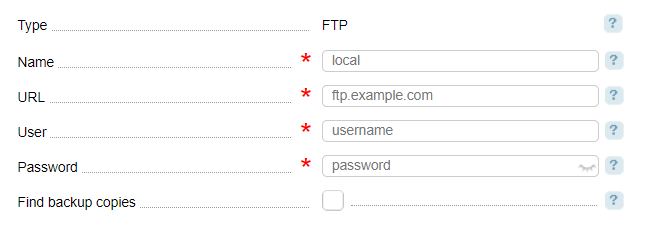
- Name;
- URL — enter the URL as follows <FTP server URL>/<FTP directory>. Where <FTP server address> is the IP-address or domain name without the protocol. By default, the standard port 21 is used. Otherwise enter it colon (:) separated E.g.: 192.192.192.1:2121;
- User — enter the FTP-user login;
- Password;
- Find backup copies — select the checkbox to find the backup copies in the storage and import the LST-files into VMmanager. The search is made based on readme-files.