En
En
 Es
Es
This is the documentation for the deprecated product BILLmanager 6 Startup and BILLmanager 6 Advanced. It is no longer updated and may be irrelevant. Documentation for the current version of BILLmanager can be found in the BILLmanager 6 section.
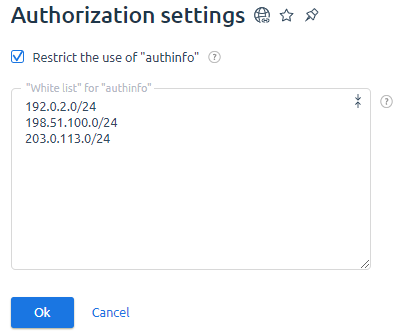
You can allow authorization in the control panel via the "authinfo" parameter only for certain IP-addresses and/or networks. Read more in Guide to ISPsystem software API.
To enable restrictions:
- Enter Settings → Authorization settings.
-
Enable the Restrict use of authinfo option.
Note.Restrictions apply to all panel users. - In the "White list" for "authinfo" use, add the IP-addresses and/or networks from which authorization is allowed.
- Press Ok.