 En
En
 Es
Es
This is the documentation for the deprecated product BILLmanager 6 Startup and BILLmanager 6 Advanced. It is no longer updated and may be irrelevant. Documentation for the current version of BILLmanager can be found in the BILLmanager 6 section.
When DCImanager module is added, the billing system receives data from DCImanager, including the list of all available operating system templates (OS templates). By default, they will be available for order with virtual machines on the tariff plans associated with the processing module.
The OS list is saved in BILLmanager → Products → Product types → Virtual server → Parameters → Operating system → Values.
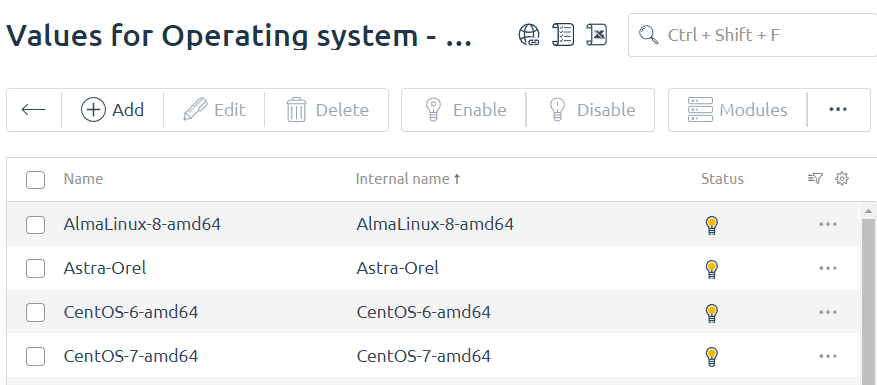
Operating system parameters:
- Name – the name of the operating system template. It corresponds to the template name in VMmanager.
- Internal name – the unique identification for the OS template. It is created automatically per the template "<OS repository>__<OS template>".
- Tags – the OS template tags. They are used to connect the template with recipes. In the current version, tags are not supported for VMmanager 6;
- Sort – allows you sort out (in direct order) templates during order. Direct order is used.
- Status – the status of the OS template.
-
 — the template is available for order on all tariff plans.
 -
 — the template is available for order on certain tariff plans.
 -
 — the template is not available on any tariff plan.
-
- Modules — a list of all modules for the Dedicated server product type. Status shows if a template is available on the processing module:
- — the template is connected to the processing module;
- — the template is not connected to the processing module;
-
- Tariff plans — a list of all tariff plans for the Dedicated server product type. Status shows if a template is available on the processing module:
- — the template is available for order for the given tariff plan;
- — the template is not available for order for the given tariff plan.
-
OS template is available for order if it is connected to the tariff plan and to the processing module, or one of the processing modules of the tariff plan.