 En
En
 Es
Es
This is the documentation for the deprecated product BILLmanager 5. It is no longer updated and may be irrelevant. Documentation for the current version of BILLmanager can be found in the BILLmanager 6 section.
When a client pays by wire transfer, the billing system automatically generates an invoice. After the client pays for a service, the provider needs to credit it manually in Billing → Payments → select a payment → Credit.
Configuring BILLmanager
Navigate to Provider → Payment method and complete the following fields:
- Step 1 — Select a payment method — choose "Wire transfer".
- Step 2 — Integration settings. Enter the integration details.
- Step 3 — Payment method settings. Enter the payment method parameters.
Integration
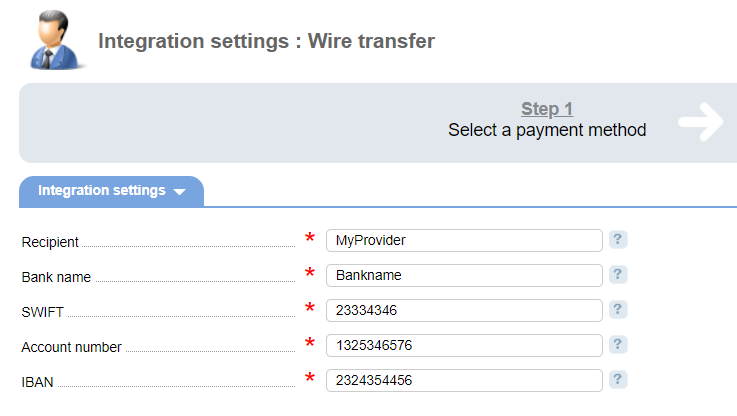
Recipient — the company the payment is made for.
Bank name — the bank where the client has an account .
SWIFT — bank unique identifier.
Account number — the number of the bank account.
IBAN — International bank account number.