 En
En
 Es
Es
This is the documentation for the deprecated product BILLmanager 5. It is no longer updated and may be irrelevant. Documentation for the current version of BILLmanager can be found in the BILLmanager 6 section.
BILLmanager allows a service provider to send SMS-notifications to his customers. To do this, he needs to integrate the billing system with an SMS-gateway,
Adding a new gateway
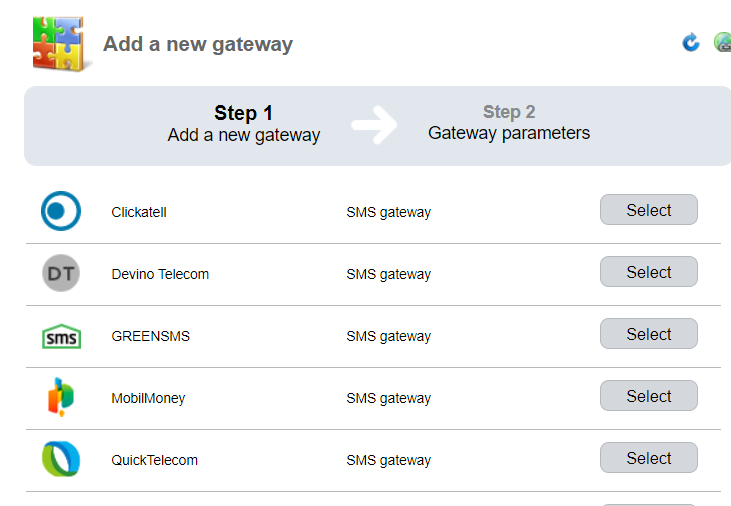
Navigate to Integration → Mail gateways → Add . The integration wizard contains two steps: "Add a new gateway" and "Gateway parameters".
Adding a gateway
On this step, you need to choose an SMS-gateway. If the gateway you want to use is not present on the list, you can use the universal gateway "http-SMS".
Gateway parameters
Enter the integration parameters.
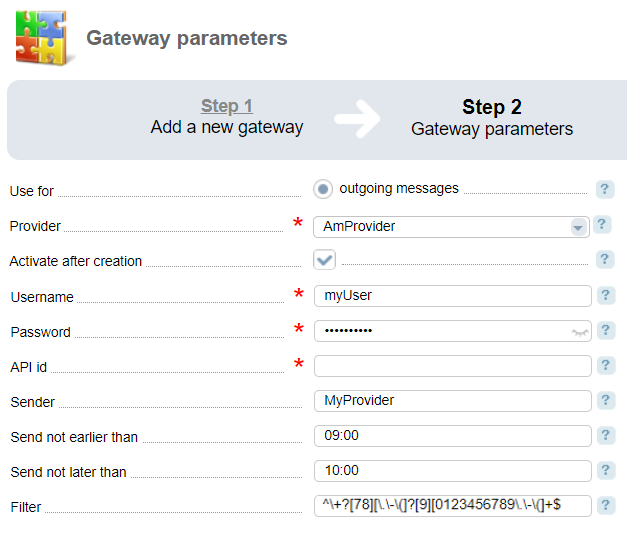
On the form that will open you can choose a provider this gateway will be connected to, enter the authentication data, sender signature, period to send emails, and recipient filter which allows sending emails via different getaways:
Universal gateway
To set up a universal gateway, the provider needs to add the connection details via API:
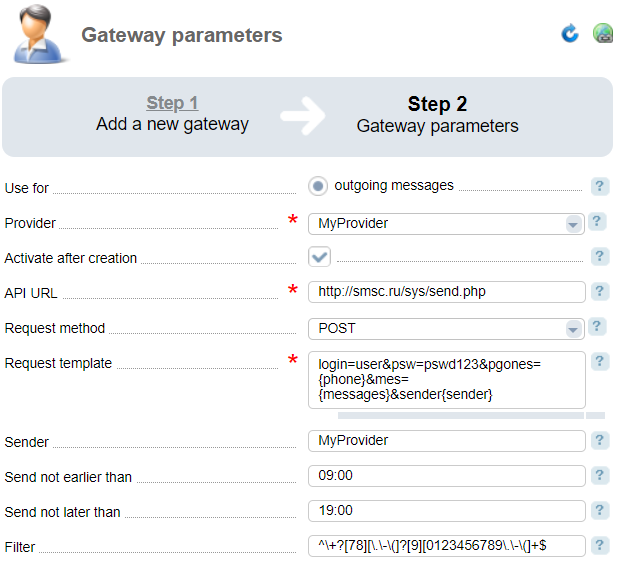
In the API request template you can use the following macros:
- '{phone}' — phone number.
- '{message}' — message text generated based on the EJS-template.
- '{sender}' — send signature, the value from the Sender field.
To get all the data for connecting to an SMS-gateway via API, please refer to your service provider website.
Logging
The logs of the connected gateways are kept in the '/usr/local/mgr5/var' directory and are named 'gw<service name>.log'.
Example: a full path to "GREENSMS" logs is ''/usr/local/mgr5/var/gwgreensms.log".
Universal gateway
The log of the universal gateway is kept in the '/usr/local/mgr5/var' directory and is named 'gwsmscustom.log'.