 En
En
 Es
Es
This is the documentation for the deprecated product BILLmanager 5. It is no longer updated and may be irrelevant. Documentation for the current version of BILLmanager can be found in the BILLmanager 6 section.
With this function, the provider can recalculate the customer's expenses from a certain date. For example, this may be necessary if the customer's expenses were calculated incorrectly or without consideration of the discount.
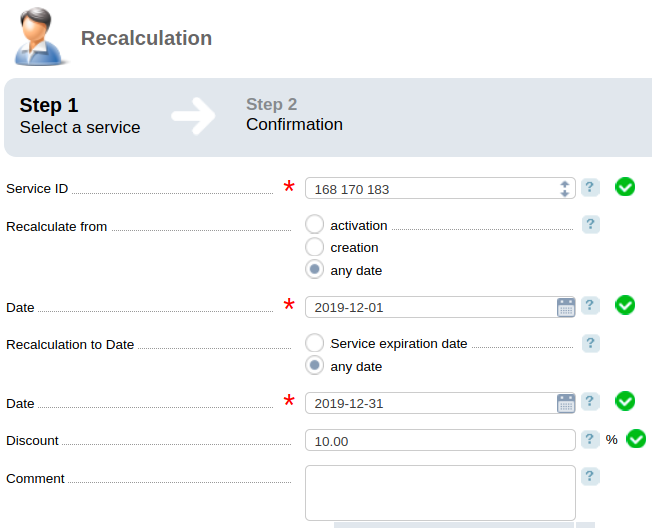
To recalculate a service:
- Go to Tools → Recalculation → press Add.
- Specify recalculation parameters:
-
- Service ID separated with a space character.
- From which date will the recalculation be made: activation of the service, creation of the service, or any date.
- To which date will the recalculation be made: Service expiration date or to any date.
-
Discount amount.
Note:The discount will be applied to the customer's expenses calculated considering all discounts and promotion actions valid for this service. - Optional Comment.
- Press Next → Finish.
After recalculation erroneous expenses on the service will be removed and new ones created.
Note:
Performing recalculation may change the service validity period. For example, on 01.02.2020 the client purchased a dedicated server for one year. If recalculation of the service is performed from 01.03.2020, its validity period will last until 01.03.2021.