 En
En
 Es
Es
This is the documentation for the deprecated product BILLmanager 5. It is no longer updated and may be irrelevant. Documentation for the current version of BILLmanager can be found in the BILLmanager 6 section.
Integration with Plesk
Navigate to Integration → Processing modules → Create. The integration wizard contains 4 steps:
- Step 1. Product type. Select a product type. For integration with ISPmanager, choose "Shared hosting".
- Step 2. Processing module. Select a processing module — "Plesk".
- Step 3. Integration. Enter the integration details.
- Step 4. Processing module parameters. Enter the parameters of the processing module.
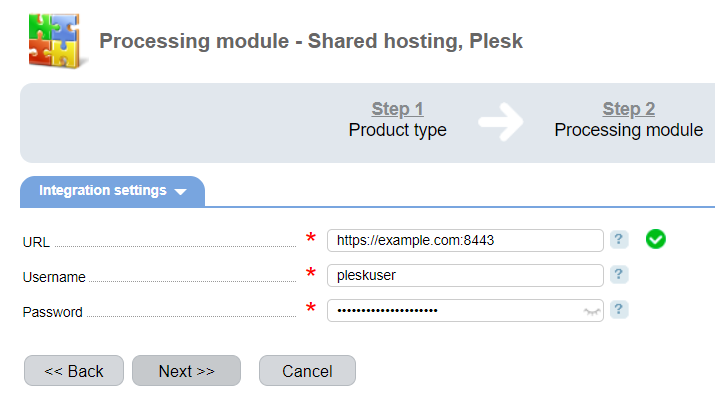
Integration
URL — enter a full URL to Plesk. Use port 8443.
Username — enter the username for integration with BILLmanager. You need to enter the credentials of a user with "Service Provider" permissions.
Password — enter the user password.