 En
En
 Es
Es
This is the documentation for the deprecated product DCImanager 5. It is no longer updated and may be irrelevant. Documentation for the current version of DCImanager can be found in the DCImanager 6 section.
Regular updates of a control panel ensure its correct operation. They include:
- new functionality;
- improvements;
- bug fixes.
The control panel can be updated automatically (by default) or manually.
This article describes how to update a control panel.
Automatic upgrade
The automatic update option allows updating the software programs according to the scheduler. The corresponding cron job starts every day at 3:10 am (the server time).
Log in to the control panel as root and navigate to Settings→ System settings.
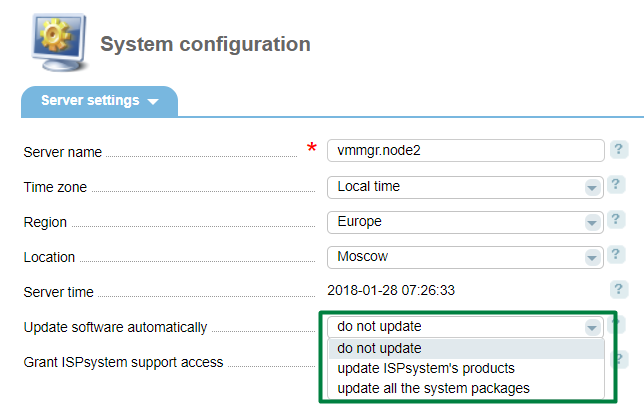
- Update software automatically:
- Do not update - disable automatic updates for this control panel;
- Update ISPsystem products - update ISPsystem software products automatically. The system will update only the packages installed from the ISPsystem repository. The packages from third-party repositories won't be updated;
- Update all the system packages - update all packages of the operating system automatically.
Manual upgrade
Execute the following command in the console:
/usr/local/mgr5/sbin/pkgupgrade.sh coremanager
Repositories
Every version has a separate repository which name matches the version name. Also, there are beta5 and stable5 repositories with all the versions of a software product. The repository defines a version the control panel can be updated to.
Switch from "stable5" to "beta5":
echo 'beta' > /usr/local/mgr5/etc/repo.version
/usr/local/mgr5/sbin/licctl fetch dcimgr
More information on how to change the repository from "beta5" to "stable5" can be found in the article Change the repository from beta to stable.