 En
En
 Es
Es
You can transfer information about storage devices and assigned IP addresses from one server to another within the same location. This can make equipment inventory and network administration more convenient in situations where a server needs to be replaced by another.
To transfer storage devices, the "Inventory management" module must be connected to the platform. For more details about the module, see the article Inventory management module.
If the module is not connected, only IP address transfer will be available.
Performing the Transfer
To transfer server storage devices and IP addresses:
- In the menu on the left, click Servers.
- Click
 next to the required server.
 - In the dropdown menu, select Transfer drives and IP addresses.
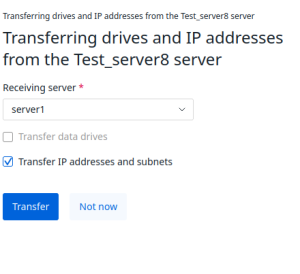
- Select the Receiving server — the server to which the storage device and IP address information will be transferred.
- Check the necessary boxes:
- Transfer data drives;
- Transfer IP addresses and subnets.
- Click Transfer.
Limitations and Diagnostics
The platform will not transfer:
- IP addresses with the status Error;
- storage devices that are not assigned to any warehouse.
All other IP addresses and storage devices will be transferred.
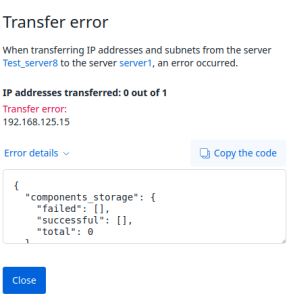
If errors occur during the transfer, an error pop-up window will appear in the interface. To view the operation logs, click Details in the pop-up window.
Related topics: