 En
En
 Es
Es
Description
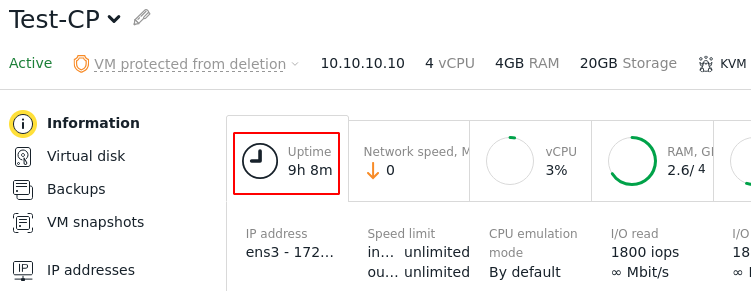
In the Virtual machines → Parameters → Information section, an incorrect Uptime (continuous operation time) is displayed. For example, it may show Uptime 9 hours even though the server was just started.
Solution
This behavior is related to the internal mechanism for tracking the virtual machine (VM) state.
The uptime tracking is performed by the vmwatch service. It calculates uptime using the following formula:
U = T - T1
Where:
- U — uptime;
- T — current time;
- T1 — time of the last successful VM start.
The time of a successful VM start is updated in the following cases:
- when the VM is started from a powered-off state;
- when the VM is resumed from a suspended state;
- when the Guest Agent inside the guest OS becomes available.
The issue may have been caused by an incomplete VM boot process. The vmwatch service did not receive a signal about the new start and continued using data from the previous successful launch.
To resolve the issue, restart the VM in the Virtual machines →  menu. The restart will update the VM's start time.
Related topics: