 En
En
 Es
Es
With this function, the provider can recalculate the customer's expenses from a certain date. For example, this may be necessary if the customer's expenses were calculated incorrectly or without consideration of the discount.
To recalculate a service:
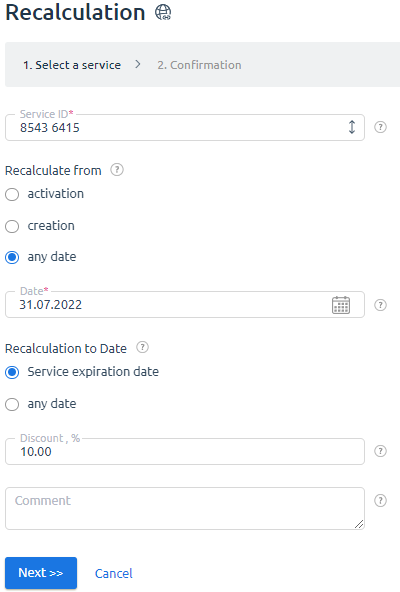
- Go to Tools → Recalculation → press Add.
- Specify recalculation parameters:
-
- Service ID separated with a space character.
- From which date will the recalculation be made: activation of the service, creation of the service, or any date.
- To which date will the recalculation be made: Service expiration date or to any date.
-
Discount amount.
Note:The discount will be applied to the customer's expenses calculated considering all discounts and promotion actions valid for this service. - Optional Comment.
- Press Next → Finish.
After recalculation erroneous expenses on the service will be removed and new ones created.
Note:
Performing recalculation may change the service validity period. For example, on 01.02.2020 the client purchased a dedicated server for one year. If recalculation of the service is performed from 01.03.2020, its validity period will last until 01.03.2021.