 En
En
 Es
Es
The article describes the details of configuring a tariff plan with the processing module for ispmanager. Read more about general settings of tariff plans in How to create and configure a tariff plan.
To create a tariff plan for ispmanager:
- Go to Products → Tariff plans → Add button → Shared hosting.
- Specify tariff settings.
- Configure the content of the tariff plan: Products → Tariff plans → select the created tariff → Options button.
Tariff settings
"Main settings" section
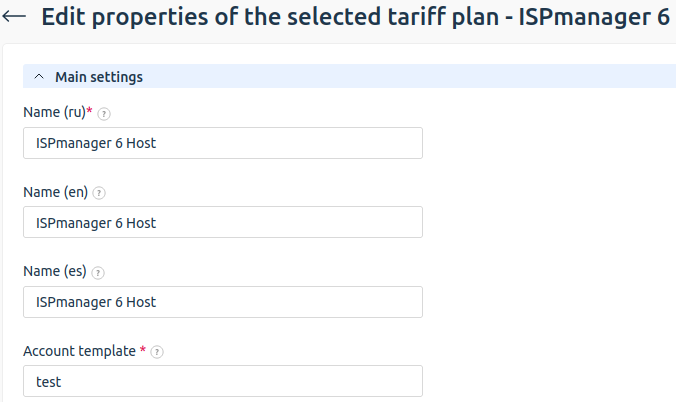
Account template — name of the template used to create the client account in ispmanager. The template determines which resources the client can use and in what quantity. Creation and configuration are performed on the ispmanager side: go to ispmanager → Cluster Settings → Templates.
If a non-existent template is specified, ispmanager will automatically create a new account template. The value entered in the Account template field will be used as the template name. Such a template allows the client to use resources without restrictions.
The same resource can be defined both in the ispmanager account template and in the BILLmanager tariff plan content. In this case, the billing platform settings take precedence.
For example, ispmanager has an account template named "Site hosting" with limits of 25 databases and 25 domain names. In BILLmanager, a "Website hosting" tariff is created using the "Site hosting" ispmanager account template. The tariff includes 10 databases (configured as a resource), but no domain name limit is set. When a client orders the "Website hosting" service, they receive an ispmanager account with a limit of 10 databases and 25 domain names.
"Additional settings" section
Username template — template used to generate the username created in ispmanager. The following macros are available:
@USERNAME@— current account username;@DOMAIN@— service domain name;@ID@— unique service ID;@ACCOUNT_ID@— owner account code.
Default domain template — template used to generate a domain name if the client does not specify one during service ordering. The following macros are available:
@USERNAME@— current account username;@TYPE@— product type;@ID@— unique service ID.
Name server — name server for the free domain name. See How to add name server.
BILLmanager can provide clients with third-level domains under the provider's domain zone along with virtual hosting services. If the client does not specify a domain name during ordering, BILLmanager automatically generates a subdomain based on the Default domain template. This subdomain is automatically created on the free domain name server, with its IP address pointing to the virtual hosting service IP address. See How to set a name server for a free domain name. ispmanager for details.